Last updated: September 2026
Comparing the best online harmonium tools is awkward for me, because one of the five is mine. So let's do it the way I wish every comparison were done: same five tasks on each tool — play a scale, set your Sa, plug in a MIDI keyboard, record a phrase, and come back a week later without paying anything. No paid placements, no affiliate links, and honest star ratings, including where my own Web Harmonium loses points. If another tool beats mine at something, I'll say so — that's the only comparison I'd trust as a reader, and I built this free online harmonium for people exactly like you.
For learning and daily riyaz, a browser harmonium wins — Web Harmonium rated 4.8/5 for being free, open-source, and playable on any device with real MIDI support. For studio recording, SwarPlug's sampled harmonium (4.3/5) is worth the money. Mobile apps average 3.9/5 — convenient, but small keys and ads hold them back.
How I rated the five online harmonium tools
Every tool got the same scorecard, weighted by what actually matters when you play harmonium online:
- Sound authenticity (30%) — real sampled reed tone versus a generic organ synth. Your ear learns the wrong timbre from a bad one.
- Playability (25%) — key layout, sustain behaviour, and whether computer-keyboard and touch input feel natural.
- Controls (20%) — transpose, octave shift, reeds, reverb: the minimum for matching your voice, as I explain in the find your Sa guide.
- MIDI support (15%) — real keys beat screen keys every time once you have hardware.
- Cost and pressure (10%) — is the core experience free, or do you hit a paywall every third key?
Scores reflect September 2026. Tools change fast — I re-test and update this page when something shifts.
The five best online harmonium tools at a glance
| Tool | Runs on | Cost | MIDI | Rating |
|---|---|---|---|---|
| 1. Web Harmonium (browser) | Any device, no install | Free, open-source | Yes | 4.8/5 ★★★★★ |
| 2. SwarPlug harmonium VST | DAW on desktop | Paid | Yes | 4.3/5 ★★★★☆ |
| 3. Raja Raman Iyer's harmonium app | Android / iOS | Free + ads | No | 4.1/5 ★★★★☆ |
| 4. Android harmonium apps (Play Store) | Android | Free + ads | Rarely | 3.9/5 ★★★★☆ |
| 5. Simple web harmonium pages | Any browser | Free | No | 3.8/5 ★★★★☆ |
Now the honest version of each row.
1. Web Harmonium — 4.8/5 (best online harmonium overall)
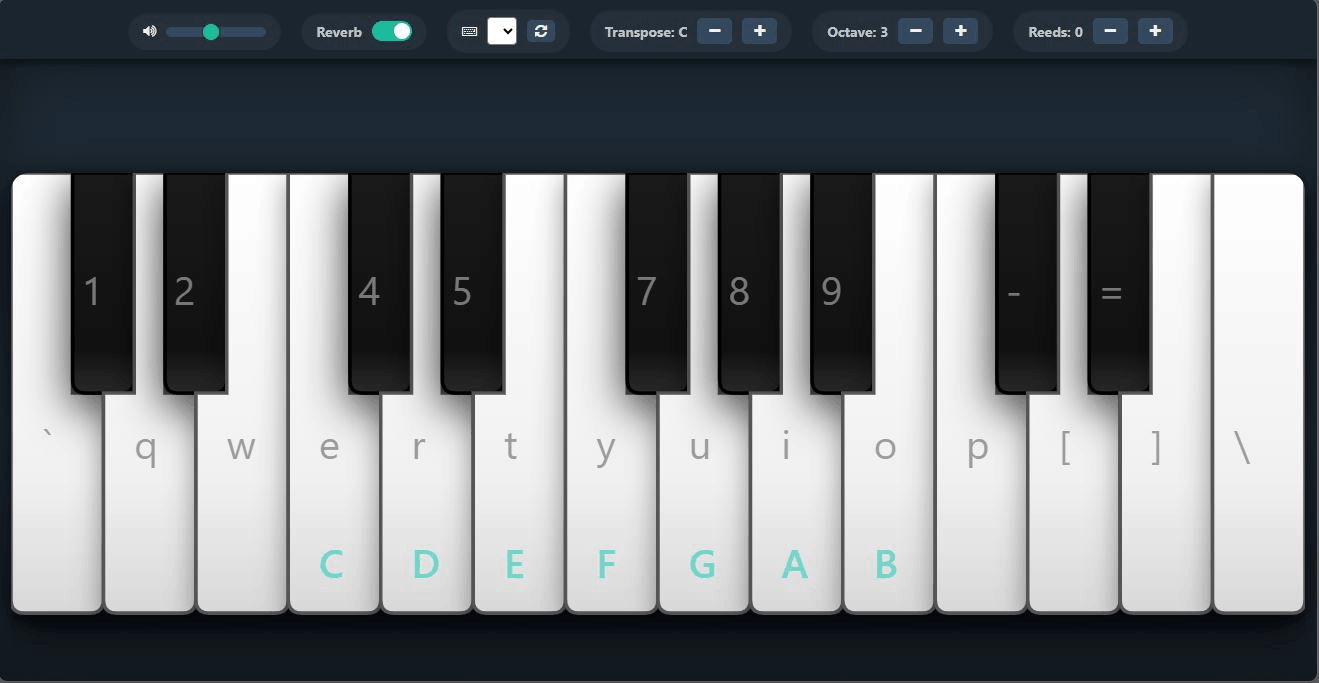
Yes, it's mine, so hold me to a higher standard. Web Harmonium is a free online harmonium that runs entirely in your browser: real sampled reed sound, playable from your computer keyboard, touchscreen with multi-finger chords, or a MIDI keyboard. Transpose, octave shift, stacked reeds, and reverb are built in, it installs as a PWA for offline practice, and the source code is open under the MIT license. No account, no ads, no subscription, and nothing to download.
Where it loses points: it is not a studio sampler, so produced recordings still belong in a DAW, and audio latency depends on your device rather than the tool. For practice, learning, and singing practice, nothing else came close on the scorecard — which is why it sits at number one.
2. SwarPlug harmonium VST — 4.3/5 (best for studio recording)
Swar Systems' plugin has been the go-to sampled harmonium for Indian instruments for years, and the multisampled reed tone holds up beautifully in a mix. If you record bhajans or film-style tracks, this is the honest best-in-class choice, and its 4.3 rating reflects studio use, not practice. Why not higher for everyone? It costs money, assumes you know your way around a DAW, and launching a DAW for a two-minute riyaz warm-up is like driving a truck to post a letter.
3. Raja Raman Iyer's harmonium app — 4.1/5 (the artist-led option)
The only artist-branded entry in the comparison, and it earns its place on personality. Touch-first keys and a lesson-style flow make it feel like learning from a named teacher rather than from a neutral instrument — and for beginners who want guidance built into the tool, that genuinely helps. It rated below the browser option because an install is required, the screen is smaller than a laptop, and the free tier carries the ad pressure typical of mobile apps. If teacher-led is what you want, that personality counts for a lot; if you want an instrument with full controls and MIDI, the gap shows.
4. Android mobile harmonium apps — 3.9/5 (convenient, compromised)
Search "harmonium" on the Play Store and you'll find several million-download titles. They share the same trade-offs: playable anywhere, offline once installed, but touch keys cramp three-finger chords, sound tends toward synth-organ, sustain behaviour varies wildly, and the free tiers push ads and subscriptions. I keep one on my phone for travel emergencies, and that's roughly the right framing: a spare tyre, not the engine.
5. Simple web harmonium pages — 3.8/5 (fun for five minutes)
Several sites offer a single-page virtual harmonium — click or tap the keys and a note plays. They're lovely for a first encounter: zero learning curve, nothing to figure out. They rated lowest because "playable" is where they stop: no scale choice worth the name, no reed or reverb control, computer-keyboard mapping that ignores how sargam actually flows, and no MIDI. Great for showing a curious friend; thin for daily riyaz.
Five trending harmonium keys (and why players choose them)
One question kept appearing while I compared tools: which Sa are players actually setting? Based on my app's transpose usage, tutorial defaults, and what bhajan and kirtan singers ask for, these are the five trending harmonium keys right now:
- C# (Black 1) — the kirtan standard. Most male devotional singers sit comfortably here, which is why C# dominates kirtan recordings and live mandalis.
- D — the tutorial default. Half the harmonium tutorials you'll watch set Sa on D. It suits average male voices and keeps fingers near the middle of the keyboard.
- C — the beginner anchor. Natural-start default on any keyboard layout, easy to reason about, and the pitch most piano-trained learners already carry in their head.
- F — the comfortable middle. Higher male voices and medium female voices settle here without strain — a quietly popular choice for bhajan practice.
- G — the female-vocal favourite. Typical female range lives around G to A#, and film-song covers trend here too.
Trending or not, the rule never changes: the trending key is the one where your voice is comfortable. The full method is in find your Sa on harmonium — two minutes of singing the scale tells you which of the five you are.
So which online harmonium tool should you use?
Practice, learning, singing practice, and trying the instrument before buying a real one: start with the browser — Web Harmonium, free, two minutes from now. Producing recordings: SwarPlug inside your DAW, and its price is justified. Guided, teacher-flavoured app time on your phone: the artist-led app. Travel backup: a mobile app, expectations set. Curious first encounter: any simple web page will do the introduction.
Test the comparison yourself: open Web Harmonium, play Sa Re Ga Ma Pa on the middle row, set your Sa with the transpose slider, and then decide whether the 4.8 was earned — takes less time than reading this page did.
Frequently asked questions
Which is the best online harmonium in 2026?
For practice and learning, Web Harmonium rated highest in this comparison (4.8/5): a free online harmonium with real sampled sound, transpose and reed controls, MIDI support, and no ads or account. For studio recording, a sampled VST like SwarPlug is worth paying for.
Is there a truly free online harmonium with no download?
Yes — Web Harmonium runs entirely in the browser, free and open-source under the MIT license. No install, no account, and it works on laptop, PC, and mobile. It can also install as a PWA for offline practice.
Are paid harmonium tools worth the money?
For studio-grade sampled sound in a DAW, yes — that's a genuine upgrade. For pressing keys and practicing sargam, no: a quality free tool covers the entire learning path, as the free vs paid comparison explains.
What are the trending harmonium keys for bhajans and kirtan?
Right now: C# for male kirtan singers, D for tutorial-standard male vocals, C for beginners, F for comfortable middle ranges, and G for typical female vocals. The correct key is whichever keeps your voice strain-free — test by singing the scale.
Can I play an online harmonium with a MIDI keyboard?
Yes, with tools that support Web MIDI — Web Harmonium does. Plug in the keyboard, allow MIDI access in the browser, and real keys drive the harmonium sound. The comparison table shows which tools rated highest for MIDI.
How were the star ratings decided?
Each tool was scored on sound authenticity (30%), playability (25%), controls (20%), MIDI support (15%), and cost with ad pressure (10%). No tool paid for placement, and the page is updated whenever scores change.